Creating Windows Installation Media on iOS
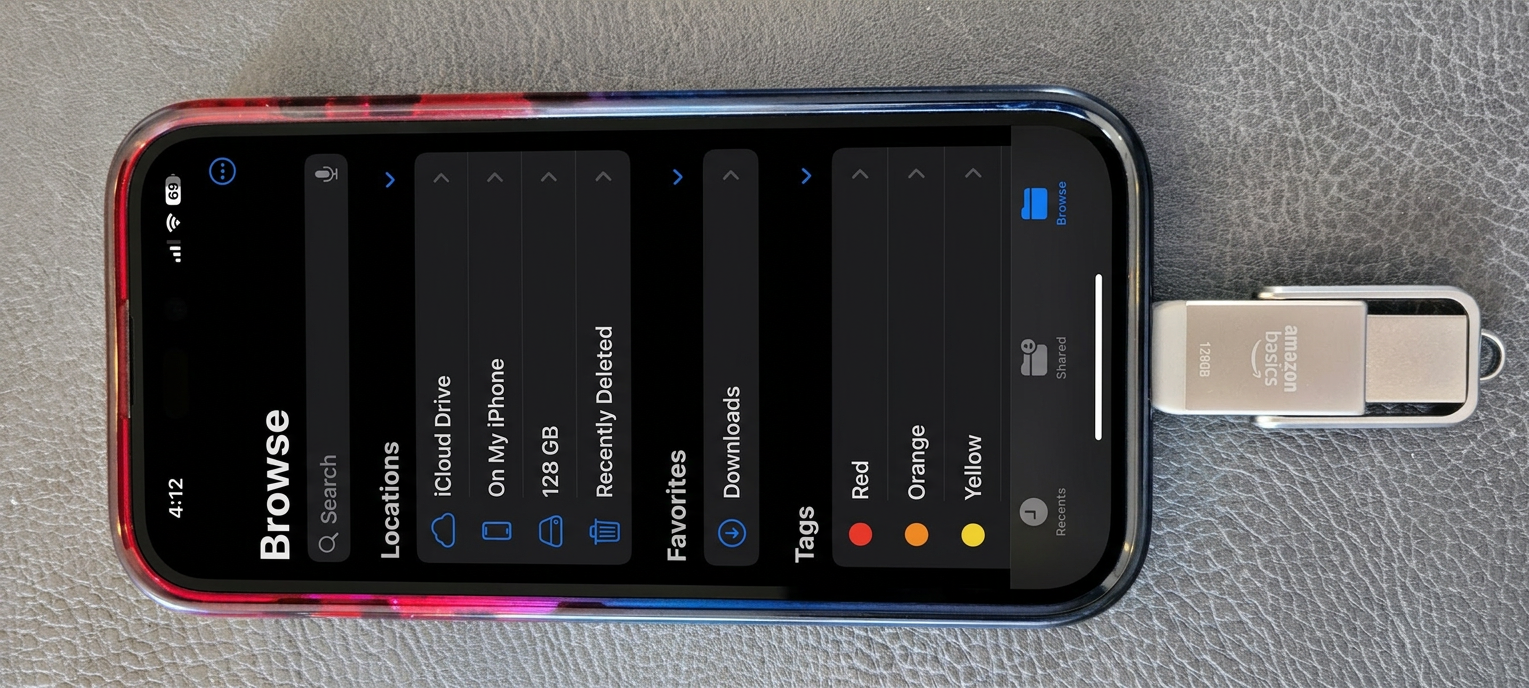
Let's discover how to create a Windows Installation Media USB on an iOS device such as an iPhone or iPad.
What you'll need
- iOS Device: iPhone/iPad running iOS 18.0 or newer.
- Flash Storage Device: An 8GB+ flash drive with a USB Type C connector.
- We recommend the Amazon Basics 128GB USB Flash Drive
- If your iOS device does not have a USB Type C connector, you also need an adapter.
- USBZile iOS App:

Creating the Installation Media
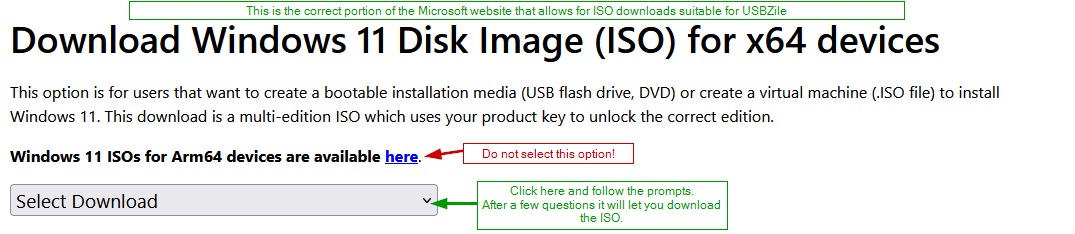
- Download the Windows 11 Disk Image (ISO)
- Note: It is easy to download the wrong file from Microsoft's website.
Use the screenshot below to help you locate the correct download.(show screenshot)
- Note: It is easy to download the wrong file from Microsoft's website.
- Open the USBZile app on your iOS device
- Follow the onscreen instructions to create the installation media.
Congratulations, you now have a Windows Installation Media USB!